
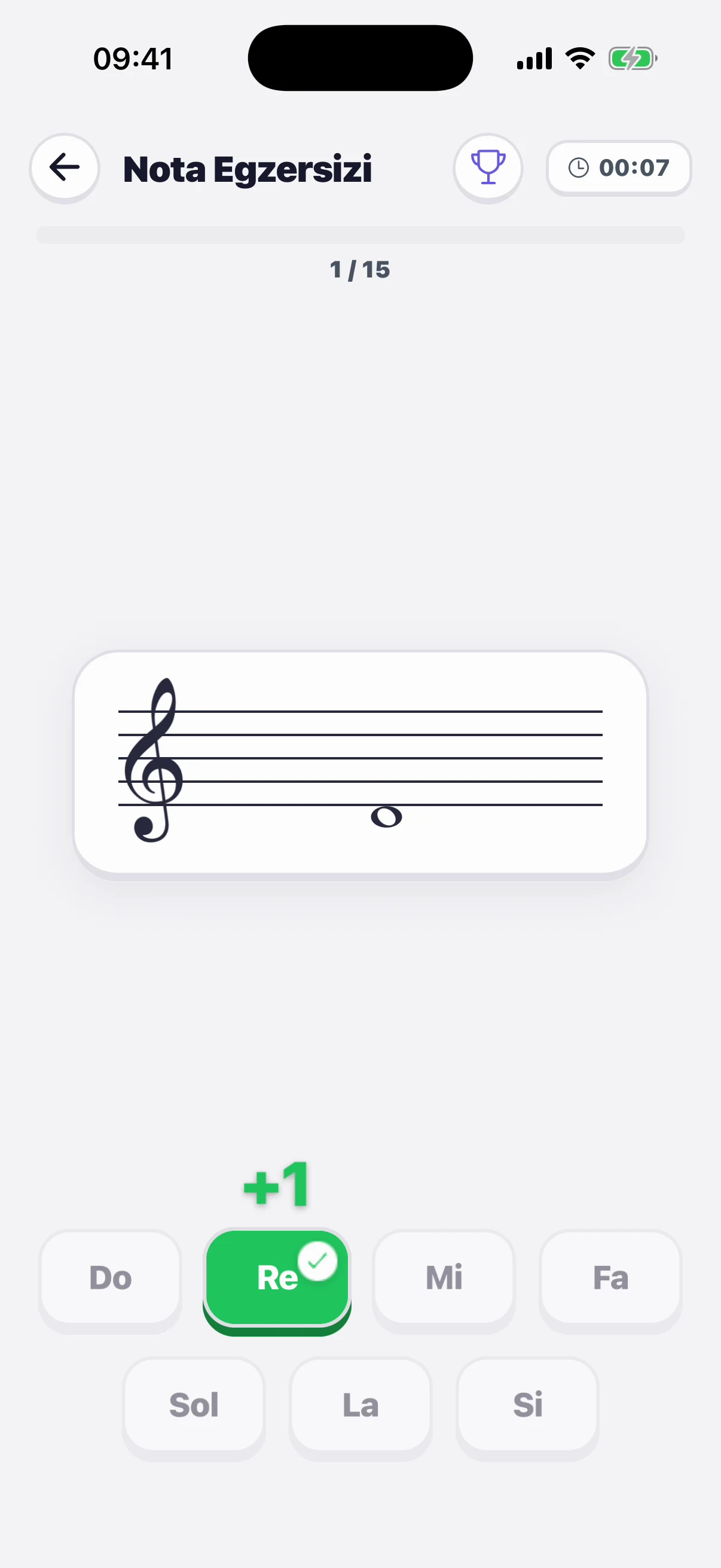
Note reading
Find the note on the staff in treble, bass and C clefs, within the range you choose.
For music teachers and students
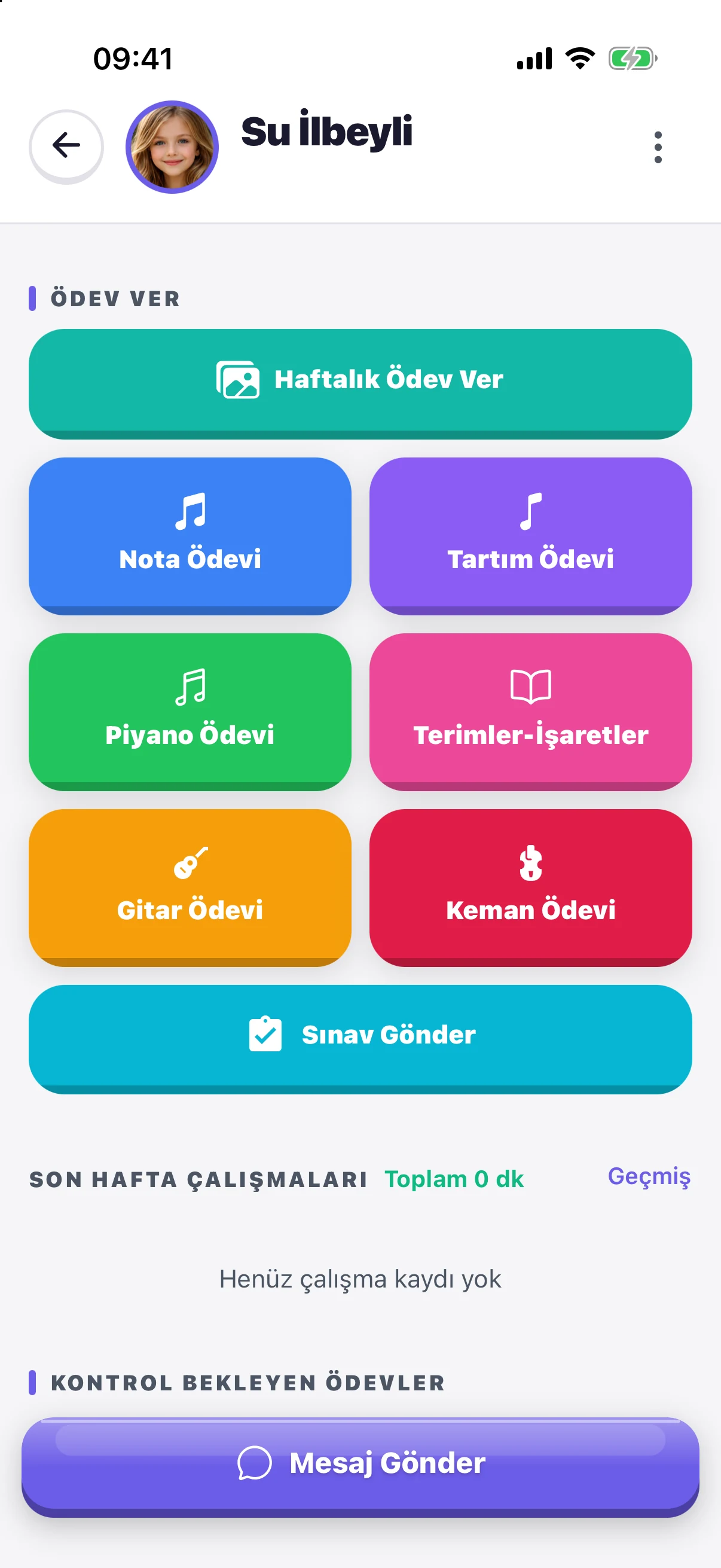
Teachers assign homework in a tap; students practise ear training, note reading, rhythm and dictation at home. Progress shows up on the teacher's screen instantly.
Take a closer look
From ear training to homework, from theory to the leaderboard — the new interface, start to finish.
Ear training
In melody, rhythm and pitch repetition the app listens to you and shows right away what you got right and where you drifted.
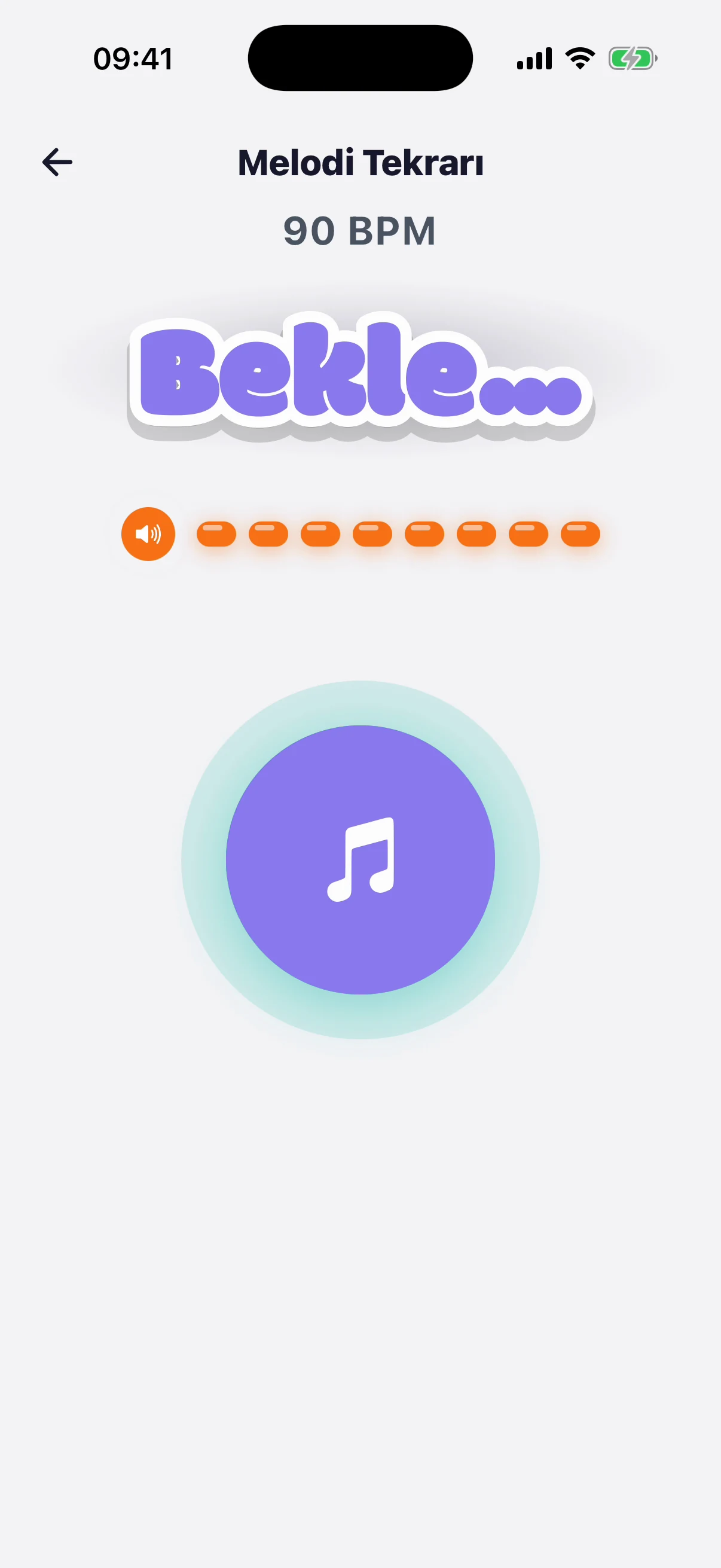
A melody plays; you listen closely and keep it in mind — from easy to hard, metres and modal melodies.
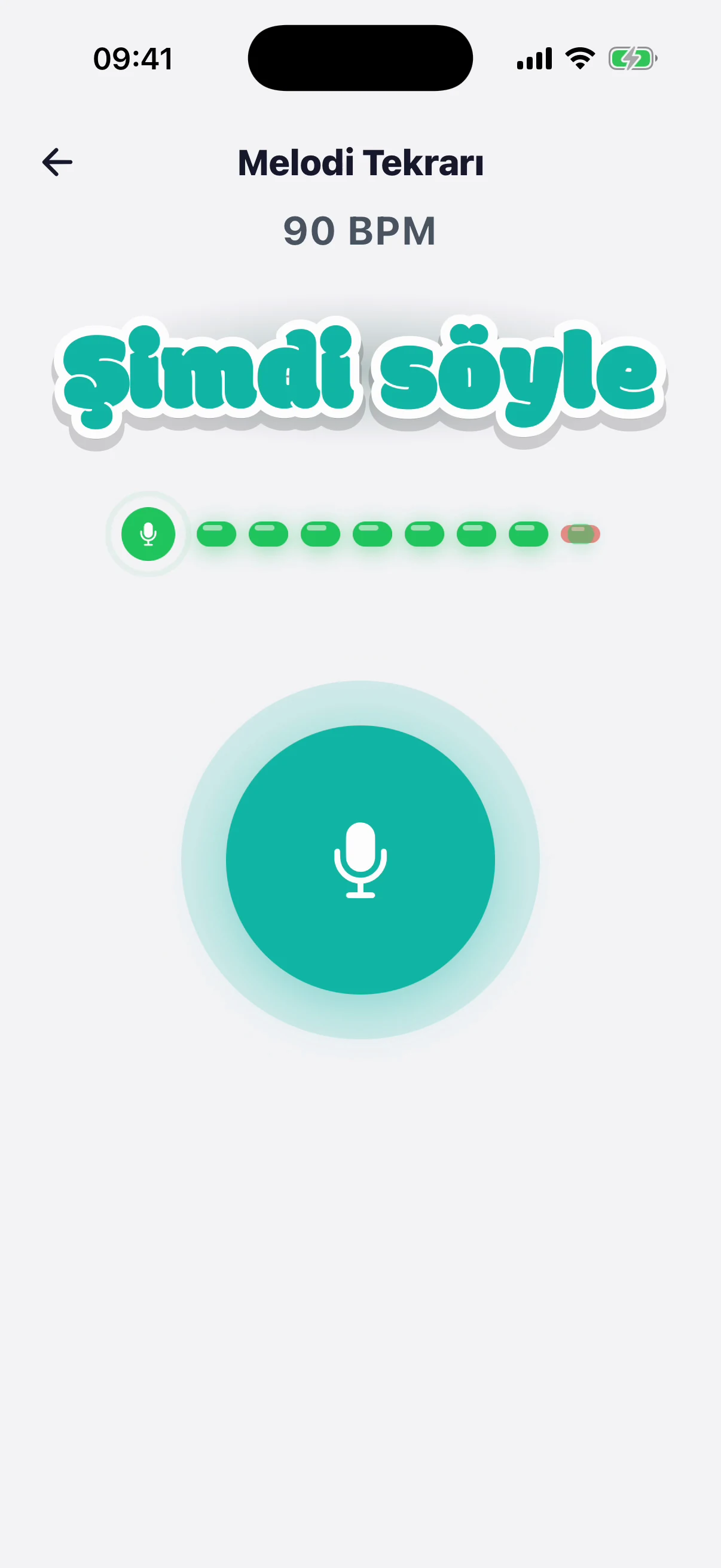
Your turn: sing back the melody or the tones you heard; the app analyses your voice.
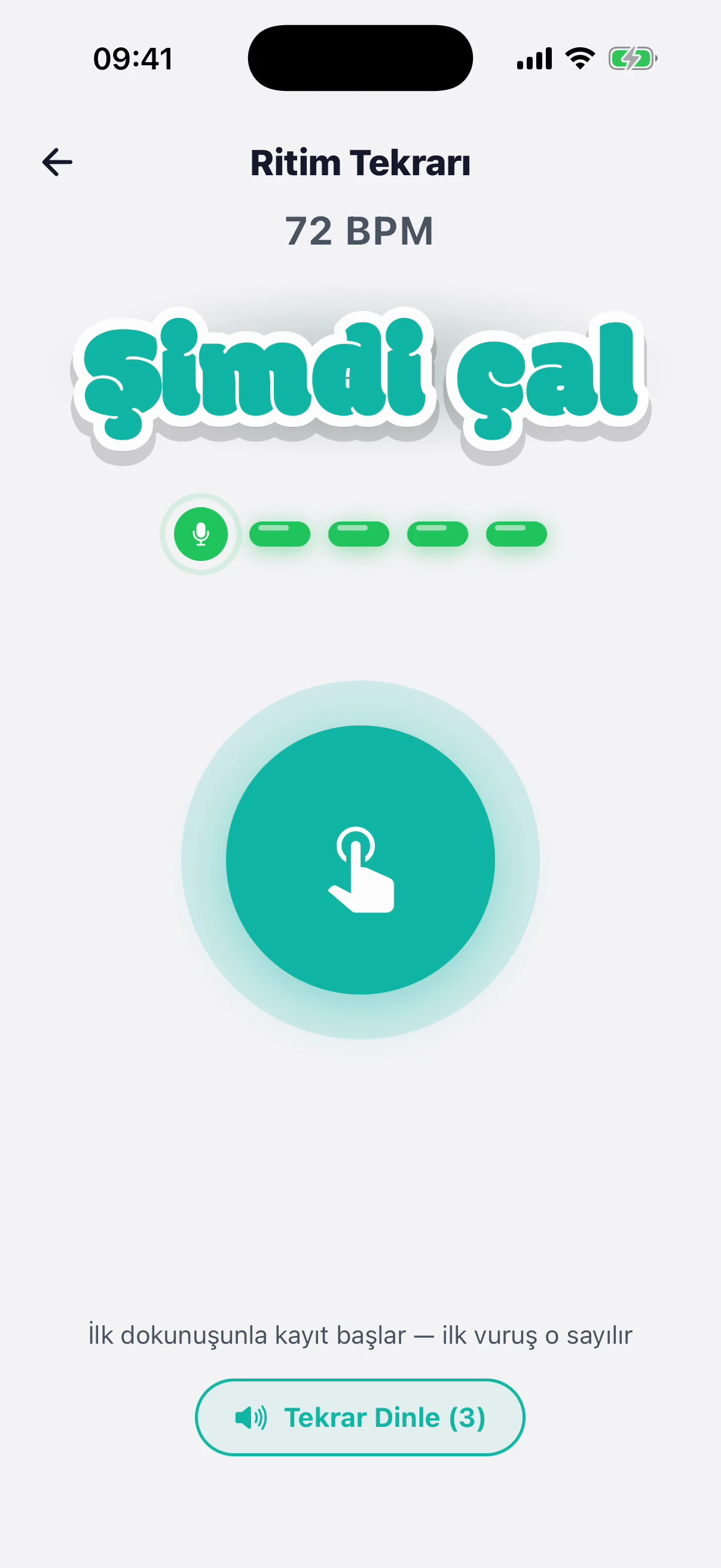
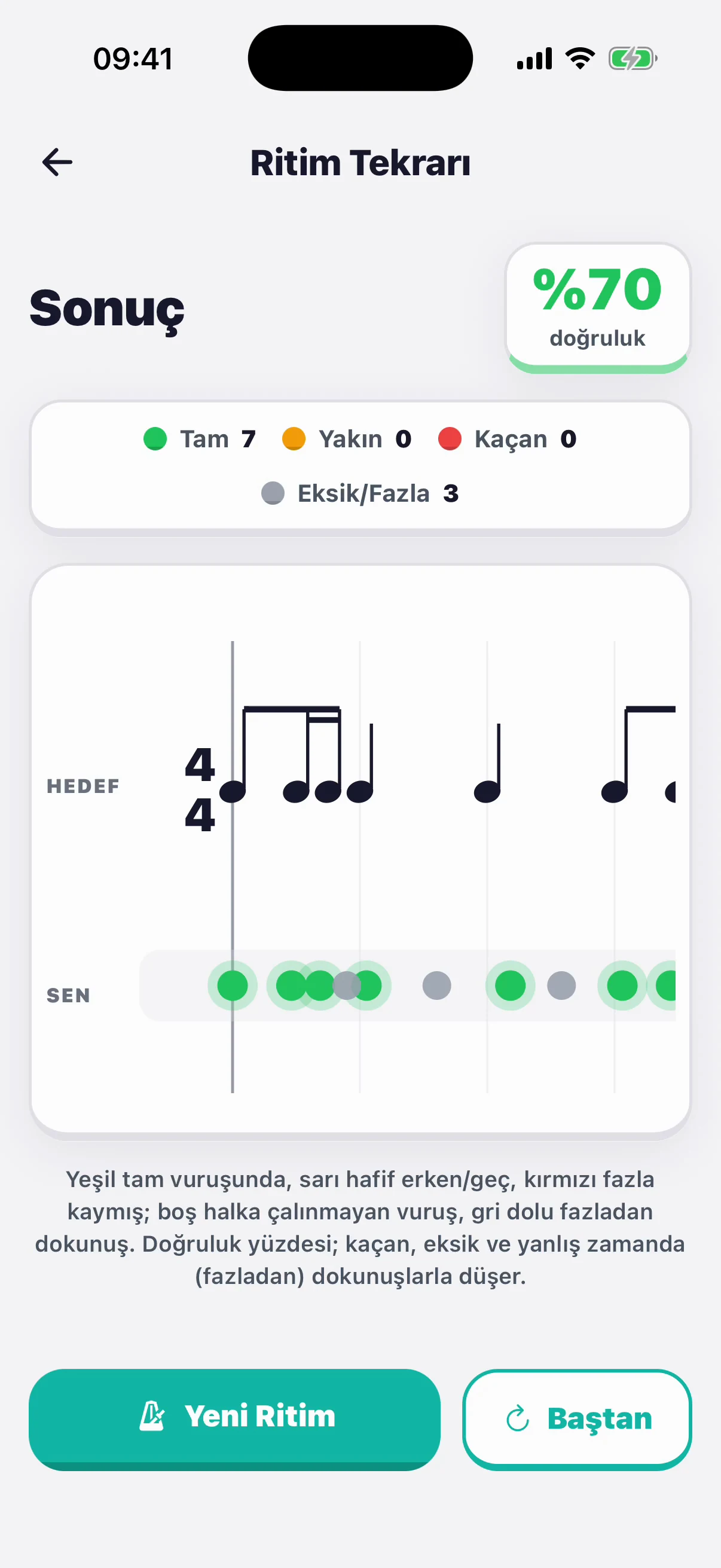
In rhythm repetition you tap back the rhythm you heard; every beat is measured.
Accuracy and exactly where you were early or late — on one screen.
Theory and reading
Short, scored exercises — every right answer moves you up the leaderboard.
Find the note on the staff in treble, bass and C clefs, within the range you choose.
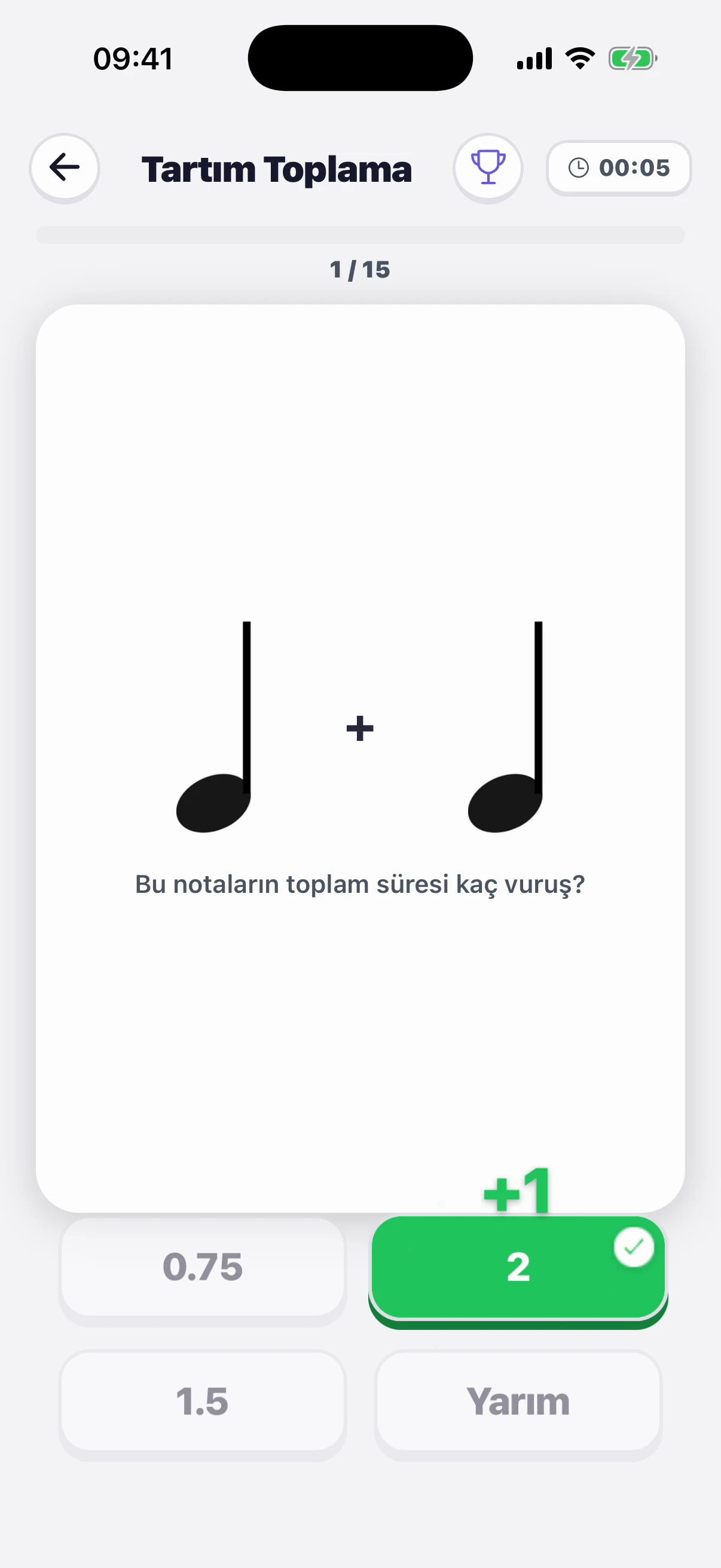
Add up note values to really understand rhythm.
Listen to one- and two-part dictations and write them on the staff.
Try it in your browserPractise intervals by ear and by building them; recognise chords by type.
Timed, scored mock exams in the conservatory format. Build your own from 12 sections.
Paste a video link; AI listens and turns the piece into falling notes. Slow down, loop, play.
Learn where the notes are on the keys, the fretboard and the fingerboard; practise guitar chords.
Your practice time is logged; a metronome and tuner are always at hand.
For teachers
Unlimited students, unlimited homework. Teacher accounts are completely free.
Notes, rhythm, piano, guitar, violin, terms or weekly tasks — pick by the student's level and send.
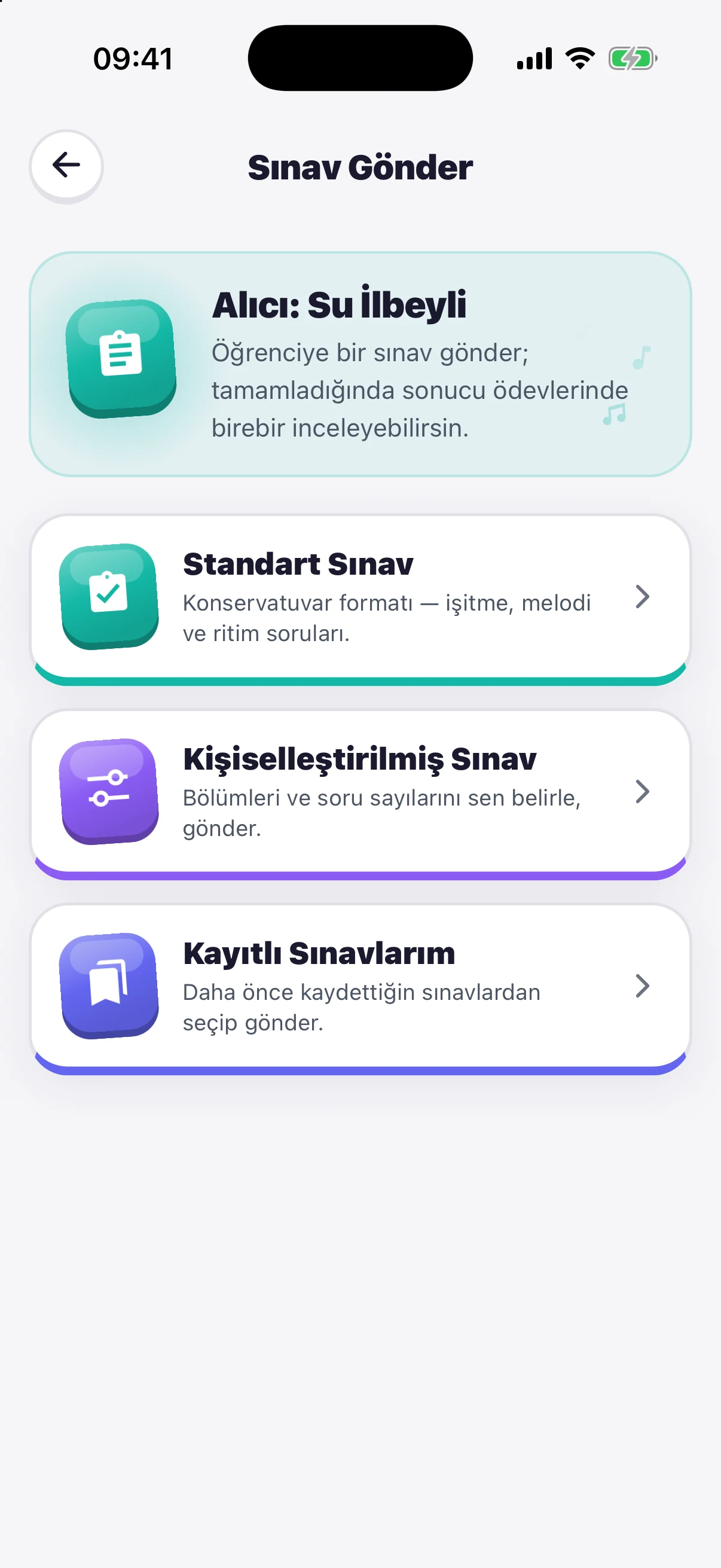
Send a standard, custom or saved exam and see the result together with the student's answers.
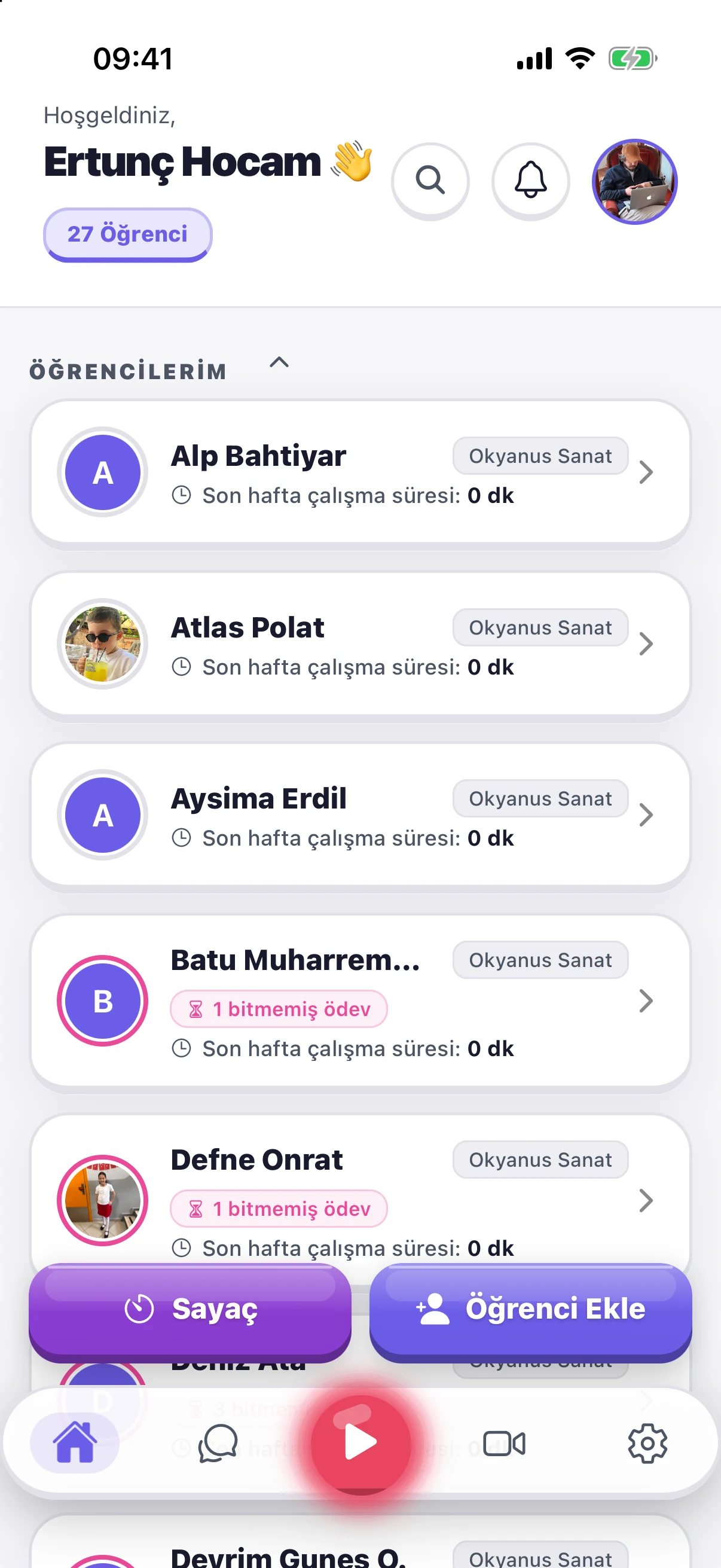
Weekly practice time, unfinished homework and homework awaiting review on one screen.
Chat with students inside the app; organise your scores in folders and share them.
Start video lessons from the app; add a second device as a hand or instrument camera.
Every student you add gets the first 2 months free.
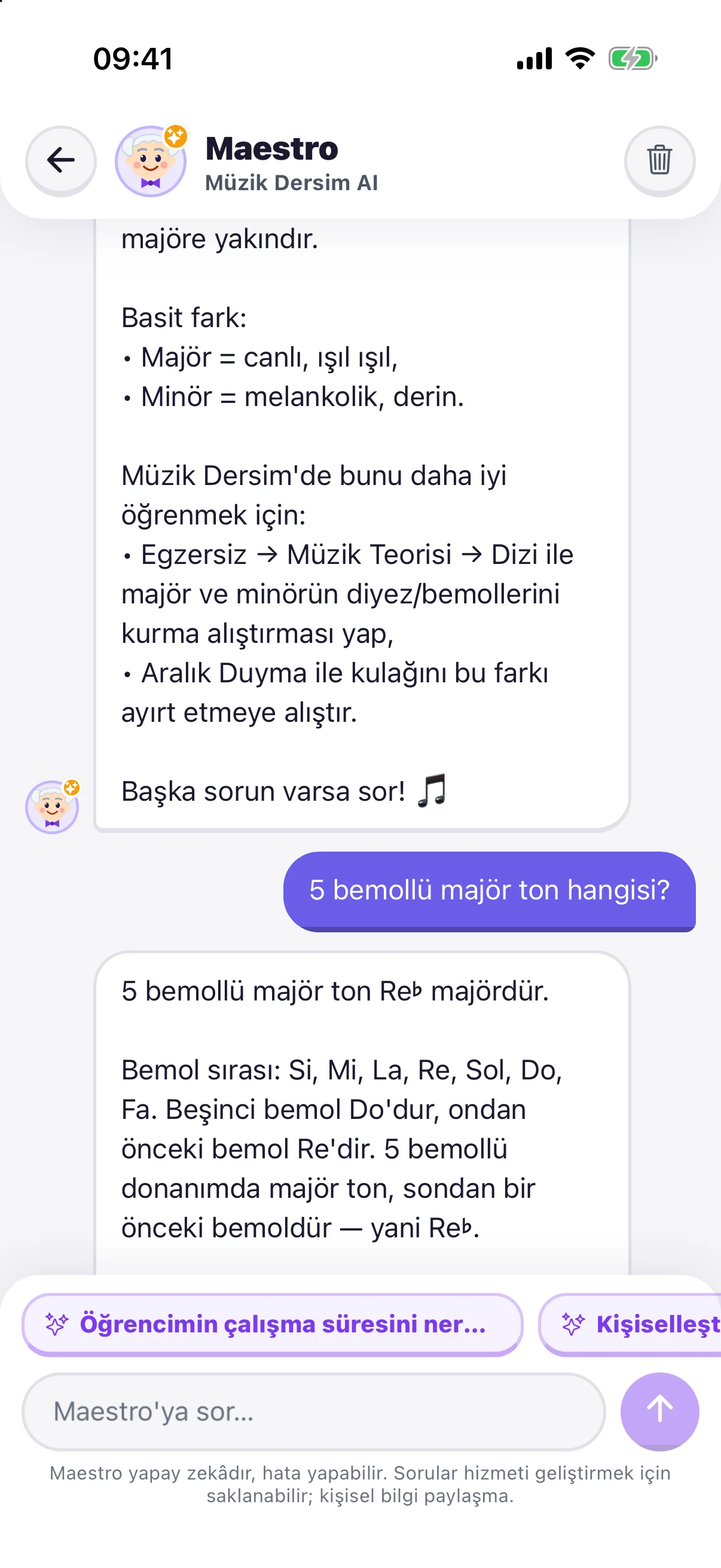
AI assistant
Music theory, instruments or any corner of the app — Maestro answers your questions.

15 questions a month. Maestro is AI and can make mistakes.
Short films
For music schools
Add your teachers and see their lessons. If you like, buy packages for your students so they use the app for free.
Add teachers; see each teacher's students and lesson history.
Packages from 10 to 200 students. Students you add use everything for free while the subscription lasts.
Students in an institution package can join video lessons too.
Getting started
Create a free account as a teacher or a student.
The teacher sends a request to the student's registered e-mail; once accepted, they're linked.
Teachers assign, students practise, and results reach the teacher instantly.
Pricing
Students use everything free for the first 2 months, then pick a plan if they want to continue.
Freeforever
₺79.99/ month
6 months ₺390 · Yearly ₺599.99
Package10–200 students
Prices are App Store and Google Play prices for Türkiye. Subscriptions are managed in your store account and can be cancelled any time.
FAQ
Yes. Teacher accounts are completely free: add unlimited students and send unlimited homework and exams. The app is funded only by student subscriptions.
Ear training (single, two, three and four tones; melody and rhythm repetition; intervals by ear; chord recognition), note reading and writing, one- and two-part dictation, note values, piano, guitar and violin notes, guitar chords, musical terms and signs, exam simulations and the falling-notes piano. Plus a practice timer, metronome and tuner.
A timed, scored mock exam in the real exam format. Build your own from 12 sections (tones, melody, rhythm, intervals, chords, dictation…), save it by name and retake it any time. Your teacher can also send you an exam and review the result answer by answer.
Every new student uses the whole app free for the first 2 months. To continue, choose monthly ₺79.99, 6 months ₺390 or yearly ₺599.99. Online lessons are included in every plan.
Video lessons start inside the app and are included, unlimited, in every membership plan. Students without a plan can start with a free 4-lesson trial. Multiple cameras are supported: join the same account from a second device to add a hand or instrument camera.
The AI assistant inside the app. It answers questions about music theory, instruments and how to use the app. Everyone gets 15 questions a month, renewed on the 1st. As an AI, it can make mistakes.
School owners add their teachers from the School Panel and see their lessons. You can also buy institution packages for 10 to 200 students; students you add use the app for free while the subscription lasts.
Yes. A student can connect to several teachers and reach all their homework from one account. Each teacher only sees their own homework and the progress in their own lessons.
Yes. It's on the App Store and Google Play. On iPad and Android tablets, text and buttons are shown larger.
Note range, number of questions and difficulty are adjustable, and teachers set homework to the student's level. The app is for ages 13 and up.
All data is stored on Firebase infrastructure. Student information is shared only with their linked teachers and is never sold to third parties. See the privacy policy for details.
You can delete your account instantly inside the app, or send a request from your registered e-mail to destek@muzikdersim.com.
Go to account deletion
Teacher accounts are free; students get their first 2 months on us. Download now and add your first student today.
Scan with your phone

